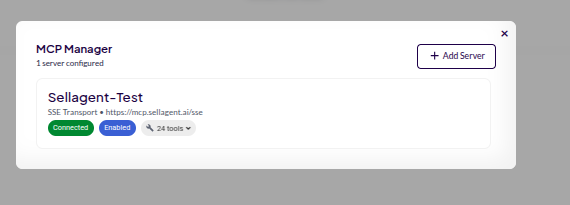
🖥️ Add MCP Server in Sell Agent
You can integrate any MCP Server into the Sell Agent dashboard using Milo. Follow the steps below to connect your server.1
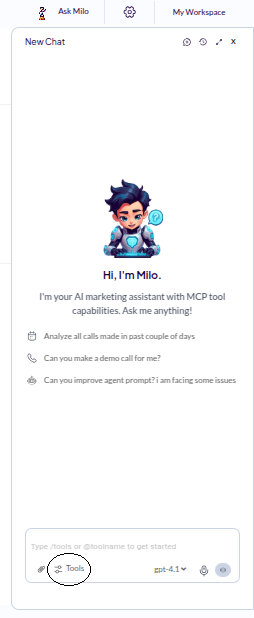
Click on Tools
- In the Milo panel, click on the Tools icon.
-
A new window or box will appear with available tools and options.
2
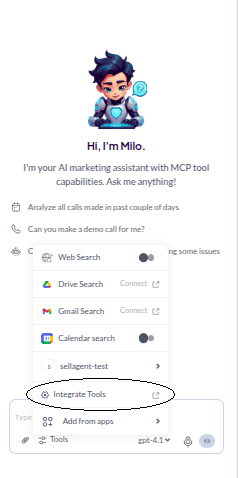
Click on Integrate Tools
- Inside the Tools box, click on Integrate Tools.
-
This will open a section where integrations can be added or managed.
3
Click on Add Server
-
Find and click the Add Server button to start configuring a new MCP server.

4
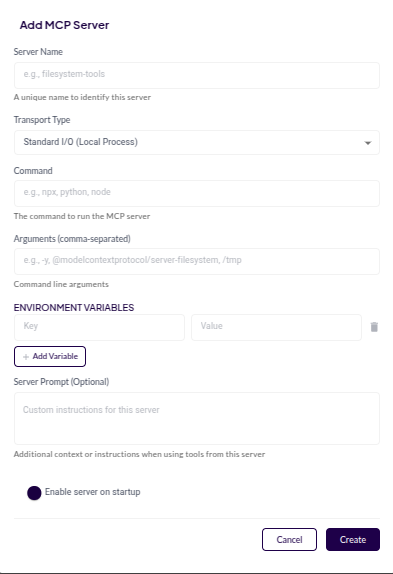
Fill in Server Details and Create
-
Enter all required server details, including: e.g server name
-
Once everything is filled out, click on Create. Once the server is created, you’ll see it listed in your integrated servers, and it will be ready to use with Sell Agent features powered by Milo.